
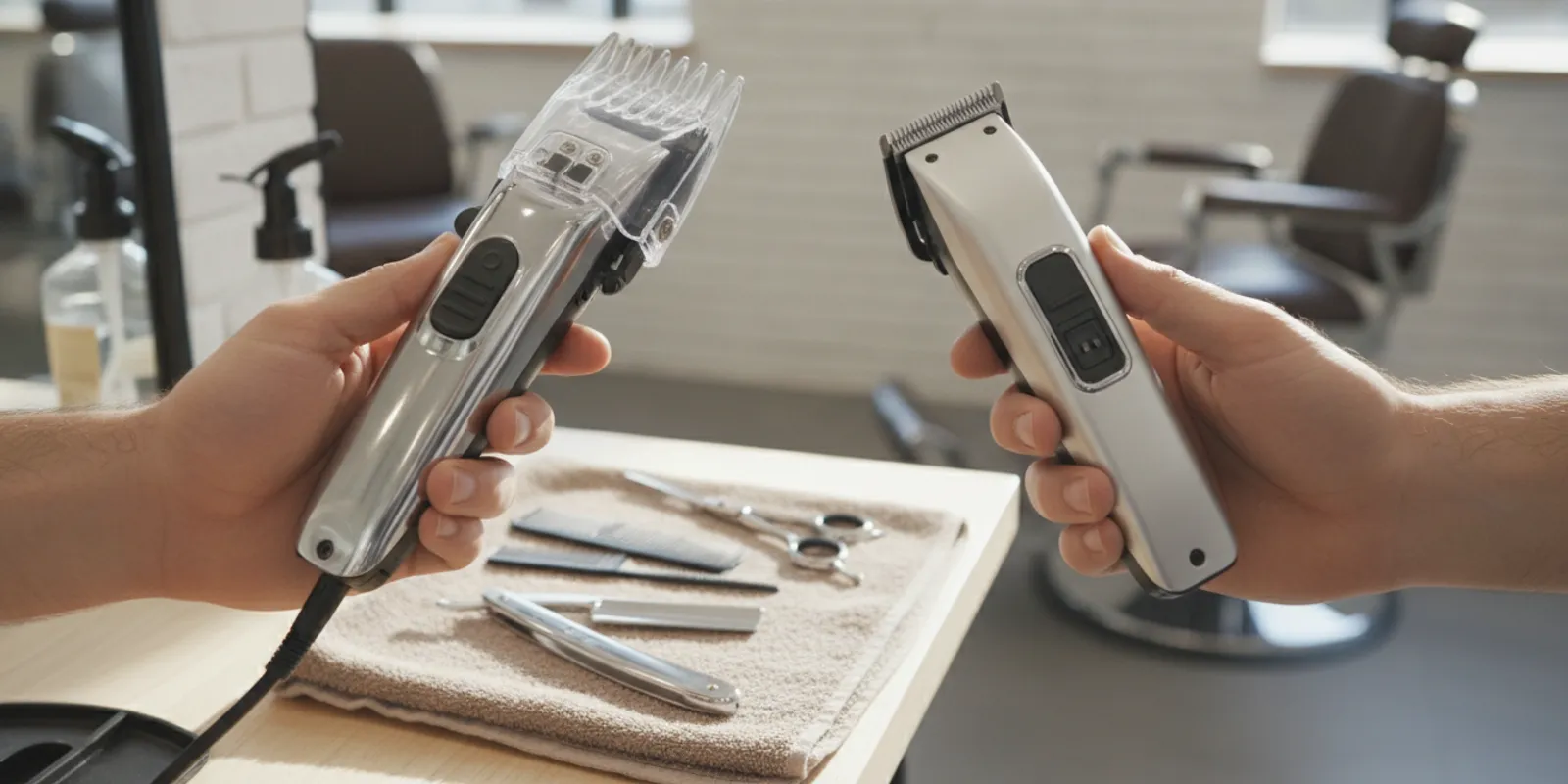
The best trimmer for sensitive skin is not simply the closest-cutting model. It is a tool you can control, keep clean, and use without forcing repeated passes over an area that reacts easily. For barbers and home groomers alike, the practical goal is a neat outline with the least unnecessary contact and friction. Start with blade condition, guard options, handling, and a light technique—not a promise of a perfectly irritation-free result.
Ask The Barber Company about choosing a trimmer
What should the best trimmer for sensitive skin do?
A sensitive-skin trimmer should make controlled, predictable passes rather than encourage you to press hard or chase an ultra-close result. Look for an appropriate guard or adjustable cutting length, a blade that is clean and in good condition, and a shape that lets you see and guide the cutting head. The right choice depends on the task and your skin’s response. This is a practical product-selection framework, not a medical recommendation.
“Sensitive skin” is not one specific trimmer category. People may mean that their skin becomes red or uncomfortable after grooming, that they prefer less direct blade contact, or that they need to remove hair around areas that are easily irritated. A trimmer cannot diagnose the cause of a reaction, and no tool can promise that irritation will never occur.
For a barber, this often means separating bulk reduction from detailing. A guarded pass can take down length while leaving a little more hair above the skin. A detail pass can then refine the outline only where the finish calls for it. For a consumer, the equivalent is avoiding the temptation to press a bare blade repeatedly into the same patch just to get closer.
Think of comfort as a system: tool condition, cutting length, pressure, direction, and the number of passes all matter. A powerful motor or a “close cut” label, by itself, does not establish that a trimmer will feel comfortable on a particular person. If your current tool pulls, snags, heats up, or makes you press harder, address that issue before changing your technique.
Which features matter most when skin is easily irritated?
Prioritize features that help you control how close the blade works and how steadily you can guide it. Guard compatibility, manageable blade exposure, stable handling, and simple cleaning are more useful than assuming that the highest speed or closest possible setting is automatically best. Match the tool to outlining, light reduction, or detail work before comparing model names.
Guard or adjustable cutting length
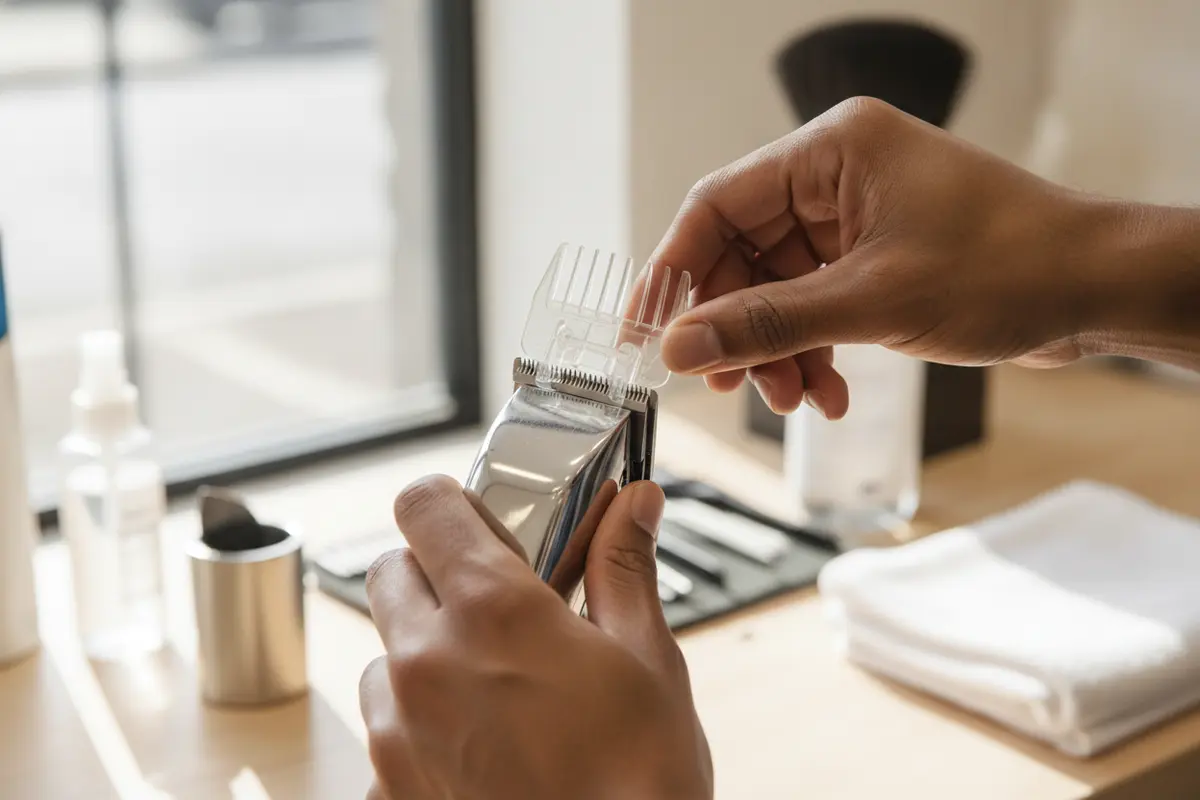
A guard creates a physical stand-off between the cutting edge and the skin, while an adjustable lever changes the blade setting on compatible clippers and trimmers. Those approaches are not interchangeable on every tool, so check the manufacturer’s compatibility information for the exact model. If you are unsure, begin with a longer setting or suitable guard, then shorten gradually only if the finish requires it.
A guard can also help when reducing hair over a broad area before defining an edge. It does not make a tool risk-free: a damaged, loose, or poorly fitted attachment can move unexpectedly, and a guard that clogs can tug. Fit it securely, clear away cut hair as needed, and stop if it shifts or the tool begins to pull.
Blade design and exposure
Blade geometry, tooth spacing, adjustment, and how far the cutting edge is exposed can affect both access and control. A narrow detail blade can help a barber see a small outline; it is not automatically gentler. A blade set extremely close may leave less room for error, especially when the skin is stretched, uneven, or moving. Choose adequate control over the smallest theoretical gap.
Do not assume that a blade’s coating, color, or marketing label guarantees a particular skin response. The blade must also be correctly aligned, free of visible damage, and appropriate for its intended use. If you are comparing replacement options, review the differences between ceramic and steel clipper blades and check the tool maker’s specifications before fitting a part.
Grip, balance, and visibility
A trimmer that sits securely in your hand is easier to guide without gripping too tightly. Give grip and reach a practical check rather than treating them as cosmetic details. A broad handle may suit one hand and feel unwieldy in another. A switch that is easy to reach can help you stop promptly, while a switch you trigger accidentally can interrupt control. For barber work, consider how the weight feels after holding the tool in a working position for a short period; for home use, check whether you can comfortably reach the areas you actually groom. These are individual fit questions, so an in-person comparison is more informative than relying on a product photograph. Also consider storage: the trimmer should have a clean, dry place, and attachments should be kept where they will not be lost or damaged. A tidy setup makes it easier to select the correct guard and check the blade before each use. It also helps distinguish a tool that is ready for service from one that needs cleaning or inspection. Consider overall balance, handle shape, weight, switch placement, and whether you can see the blade edge while working. For a barber, comfort over repeated services matters as well as precision for one outline. For home use, a manageable tool can make short, deliberate passes easier than a bulky or awkward one.
Do not judge a trimmer only by a product image. If possible, hold the tool before choosing. Check that your fingers do not cover the view of the blade and that you can make a small movement without twisting your wrist. A steady grip supports control; it does not replace good technique or make direct blade contact appropriate for every person.
Cleaning and routine care
Hair buildup and neglected maintenance can interfere with cutting and lead to more passes. Follow the tool manufacturer’s cleaning and lubrication instructions, and use products intended for the tool. Keep personal tools clean between uses, and follow the applicable sanitation process for professional work. A well-maintained trimmer is easier to assess than one whose blade is clogged, dry, loose, or damaged.
For a step-by-step routine, see the guide to cleaning professional barber clippers and the practical overview of why clipper blade oil matters. Always defer to the instructions for your specific tool and product; these general care principles do not replace a manufacturer’s directions.
How do you compare trimmer types for sensitive skin?
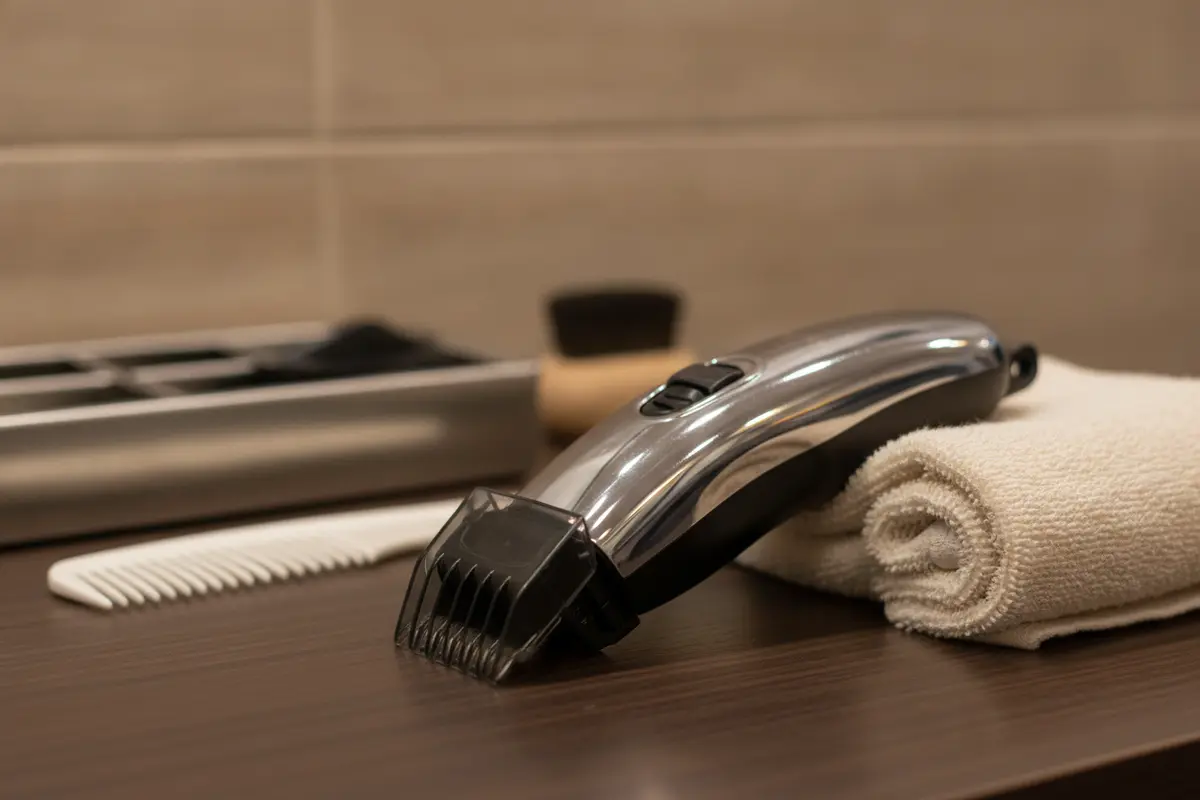
Compare the job each trimmer needs to do, not just its advertised closeness. A guarded tool is useful when you want to leave length; a detail trimmer is for controlled edges; and a close-setting tool demands particularly careful handling. The best fit is the one that provides the needed finish without repeated pressure or unnecessary blade contact.
| Trimmer setup | Useful for | Potential advantage | Check before use |
|---|---|---|---|
| Trimmer with compatible guard | Reducing length while retaining some hair above the skin | Provides a set distance from the blade for a more conservative pass | Guard fit, length, cleanliness, and whether it works with the exact model |
| Adjustable trimmer or clipper | Moving between cutting lengths for tapering and cleanup | Lets the operator make incremental adjustments where designed to do so | Setting and lever operation; avoid selecting a close setting by habit |
| Detail or outline trimmer | Defining small areas and edging facial hair or a haircut | Compact head may improve visibility and maneuvering around contours | Blade exposure, alignment, pressure, and the skin’s response |
| Tool set for an especially close finish | Specific professional detailing when the finish requires it | Can refine an edge with a close cut in experienced hands | Whether that closeness is needed; avoid pressing or repeated passes |
Use the comparison in a simple buying test. First, write down the most common job you need the tool to perform. “Clean up my neckline” is more useful than “I want a good trimmer,” because it points toward visibility and control. “Reduce length without shaving close” suggests that compatible guards and multiple lengths matter more than a close adjustment. A barber who performs both tasks may need to decide whether one tool truly handles both well or whether separate tools make the workflow clearer. Second, consider how much direct blade contact the task requires. If leaving a little length is acceptable, compare guard availability and attachment stability. If you need to define a narrow edge, assess whether you can see and guide the blade without twisting your wrist. Third, check maintenance requirements. A tool that is difficult to clean or whose parts are hard to identify can be a poor fit for a busy station even if its cutting head looks appealing. Finally, confirm model-level details before buying: what is included, which guards fit, how the blade is adjusted, what cleaning and oiling the manufacturer specifies, and what service options exist if performance changes. Do not infer these answers from a different model in the same line. This comparison is about use, not a guarantee that a particular type prevents irritation. The design and adjustment vary by make and model. Before buying, verify what guards or blade options are actually included, whether additional attachments fit, and how the manufacturer says to clean and maintain the tool. If you need more general selection criteria, our guide to choosing a barber clipper explains how to start from the work you do.
How should you use a trimmer on sensitive skin?
Prepare the tool, choose a conservative cutting length, and make a small test pass before working across a larger area. Use a light touch and avoid repeatedly crossing the same spot. If the skin becomes uncomfortable or looks irritated, stop rather than forcing a closer finish. These steps support control, but they are not medical treatment or a guarantee against a reaction.
1. Check the tool before it touches skin
Inspect the blade and attachment for visible damage, looseness, trapped hair, or residue. Confirm the guard is secure and the blade is correctly installed according to the manufacturer’s directions. If the trimmer pulls or sounds different from its normal operation, do not compensate by pressing harder. Clean it, review the instructions, and have a questionable tool assessed before using it on a client or yourself.
2. Start with clean, dry skin and a conservative setting
Use the tool in the condition recommended by its manufacturer. Hair and skin preparation can vary by tool and service, so follow the model’s directions instead of assuming every trimmer should be used the same way. When reducing length, start with a guard or setting that leaves more hair. You can reassess and make a shorter pass if it is needed; you cannot undo a cut that is already too close.
3. Work in small, visible sections
Keep the blade in view and move with control. On a client, communicate before working over a sensitive area and check how the skin is responding. At home, use a mirror and adequate lighting rather than stretching or twisting to reach a patch you cannot see. Work in manageable sections so you can notice pulling, discomfort, or a change in the tool’s performance early. Before starting, decide what a satisfactory result looks like and where you will stop. This keeps the session from turning into repeated passes in pursuit of an increasingly close edge. On a beard outline, for example, define the boundary you want, check it in the mirror, and refine only the parts that need attention. When reducing length, use the guard to establish a consistent starting point and reassess before moving to a shorter setting. In a shop, explain the plan before beginning and invite the client to mention discomfort promptly. This communication supports a more responsive service, especially when the client says the area is sensitive or has reacted to grooming before. It is sensible to adjust the finish or stop if the service is not comfortable. Do not treat client feedback as a reason to press harder or make several extra passes.
4. Use light pressure and limit repeat passes
Let the cutting head do its work. Pressing can increase contact and make it harder to maintain a consistent angle. If a pass leaves hair behind, check for buildup, the selected length, and the direction of growth before simply repeating the same movement. If the hair or skin is tugged, pause. A slightly less close result is often a better choice than persistent rubbing for the sake of a perfectly bare finish.
5. Clean the tool after the service
Remove hair and maintain the blade as directed for that model. In a professional setting, follow the required cleaning and disinfection instructions for tools and attachments; do not substitute a product or method without checking compatibility. Our guide to selecting barber tool disinfectant covers how to think about product and tool fit, while the guide to using Barbicide offers additional process context. Follow the label and applicable professional requirements.
Why can a trimmer still irritate skin?
A trimmer may cause discomfort when the cut is too close for the area, the operator presses or repeats passes, hair catches in a poorly maintained blade, or the person has an individual skin response. The tool alone does not explain every reaction. Pause when discomfort develops, review the setup and technique, and seek qualified health advice for persistent or concerning symptoms.
Close cutting is not the same thing as comfortable cutting. A low blade setting, a very close adjustment, or a bare cutting head may be useful for a particular professional finish, but each can leave less margin for error. That is why “sharpest,” “closest,” and “best for sensitive skin” are not interchangeable descriptions.
Technique and service goals make a difference. A barber working on an outline may need a visible, crisp edge; a home groomer maintaining a larger area may prefer a guard and a little more length. Do not carry a close-edge setting from one task to another without considering the person, area, and finish. The separate guide to what zero gapping means explains the adjustment concept; it should not be read as a recommendation to set every trimmer extremely close.
Skin can also respond differently from one person or occasion to another. Do not continue over a spot that is already sore, inflamed, broken, or otherwise concerning. A barber should communicate, adjust the service when appropriate, and follow shop hygiene procedures. A consumer with a persistent reaction or a question about a skin condition should ask a qualified healthcare professional rather than relying on a product description to resolve it.
Research about grooming products is not a substitute for testing a trimmer on an individual. For context, a peer-reviewed study on razor products discusses how features such as lubrication strips and sensitive-skin claims appear in the razor market; it does not test trimmers or establish that any feature prevents irritation. See the study on gender-based stereotyping and cost discrepancies for razors for that limited context.
How do you choose a trimmer for professional or home use?
Choose around your regular tasks, the level of closeness you actually need, and how easily you can maintain the tool. Professionals should consider repeatable control across services and reliable access to compatible parts; home users should prioritize ease of handling and a manageable learning curve. In either case, validate the model’s features instead of relying on broad claims about sensitive skin.
For barbers and shop owners
Assess the trimmer as one part of a station workflow. Can you see the blade while outlining? Does the grip feel stable during detailed work? Are the blade and guards compatible with the way your team works? Can staff follow a consistent cleaning, oiling, and inspection routine? A technically capable tool is only useful when the team understands its settings and uses it appropriately. If your shop is choosing a shared model, include the people who will use it in the comparison. Ask each barber to assess balance, switch access, sightline to the blade, and ease of removing and fitting the guards. Agree on a standard starting setup for routine work, while leaving room for the barber to adapt to the individual service. Write down the model and attachment details so replacement parts can be matched accurately later. If the trimmer performs differently from its normal operation, take it out of rotation until it has been checked instead of allowing each person to compensate with a different adjustment. A consistent process helps the team notice maintenance issues sooner and prevents an overly close setting from becoming the default just because it is convenient.
If several barbers share equipment, establish a clear care routine and inspect tools between services. Label or organize attachments so the right guard is easy to find and a damaged part is not returned to circulation unnoticed. The barber station organization guide can help you plan where tools and accessories belong. For a broader startup or restocking list, see the barbershop equipment checklist.
When comparing professional lines, look at the specifications and support for the exact model, not just the brand name. The Barber Company carries professional brands including Wahl, Andis, Gamma+, Stylecraft, and BaByliss Pro. Product availability and specific features depend on the individual item. Compare blade type, guard support, balance, maintenance directions, and serviceability before settling on a model.
For personal grooming
Consider where and how often you will use the trimmer, whether you need a guard for length, and whether the head is easy to see and clean. A professional tool may have features aimed at frequent shop use, but the most technical model is not automatically the easiest choice for a beginner. Choose a tool you can control comfortably, and learn its attachment and maintenance instructions before working close to the skin.
If you are shopping in person, ask to compare the feel and intended use of available tools. The Barber Company serves professional barbers and retail customers, so consumers do not need a professional license to shop. You can browse the hair clipper selection, review the available professional grooming brands, or read the existing guide to trimmers for barbers as you narrow the category. Those pages can help with product discovery; always confirm the exact model’s specifications.
When should a trimmer be repaired or adjusted?
Stop using a trimmer if it repeatedly pulls, has a loose or damaged blade, makes an unusual sound, or cannot hold a consistent setting. Basic cleaning and manufacturer-directed lubrication may address routine buildup, but they are not a fix for every fault. Have a qualified technician inspect the tool when alignment, motor operation, or repair is in question.
Blade wear, alignment, adjustment, and motor behavior can all affect how a trimmer cuts. If a tool is pulling hair, first rule out a clogged blade and check the care instructions. If the issue continues, avoid compensating with extra pressure or an aggressive adjustment. A close setting is not a repair for a worn, damaged, or incorrectly installed blade.
For local support, The Barber Company provides equipment maintenance services including clipper repair and precision zero gapping. Read about in-store clipper repair in Las Vegas and the zero-gapping service before deciding whether a tool should be assessed. The team can advise on service fit; ask about the specific trimmer and the issue you are experiencing rather than assuming every model requires the same adjustment.
For a tool that pulls hair, the diagnostic steps in the guide to a clipper pulling hair may help you identify basic checks. If the blade needs professional attention, review how clipper blade sharpening works and contact the store to ask what service is suitable for your equipment. Do not use a tool on skin if its cutting parts are damaged or unstable.
Make a practical choice, not a promise
There is no one trimmer specification that guarantees a comfortable result for everyone. A practical choice gives you the guard or blade options you need, feels controlled in your hand, and can be maintained correctly. Pair the tool with a conservative first pass, clean equipment, and a willingness to stop when skin or hair does not respond well.
For professionals, a versatile station may include a detail trimmer for defined edges and a separate guarded option for reducing length without pursuing the closest possible cut. For personal grooming, begin with the simplest setup that meets your needs and learn how the blade behaves before refining an edge. In either case, select the finish first, then choose the tool and setting that can achieve it with control.
If you want help comparing available tools, The Barber Company offers professional-grade products for barbers and the general public. Las Vegas valley customers can also ask about local delivery; the company notes free delivery on orders over $50 throughout the valley. For repair questions, bring the make and model and describe what the trimmer is doing so the team can direct you to the appropriate next step.
Call The Barber Company at (702) 900-9972 to discuss trimmers or service
Frequently Asked Questions
These quick answers bring the selection and technique guidance together. Use them as starting points, then check the instructions for your exact trimmer and adjust the service to the person and area. If a tool or skin response raises concern, pause instead of trying to force a closer result.
What type of trimmer is gentlest on sensitive skin?
No single trimmer type is guaranteed to be gentlest for everyone. A compatible guard or a less close setting can help keep the blade from working as near to the skin, while a detail trimmer can improve visibility around an outline. Choose based on the job, keep the blade maintained, use light pressure, and stop if the skin becomes uncomfortable.
Should I use a guard when trimming sensitive skin?
A guard is a useful option when you want to leave some length and reduce direct blade contact. Confirm that the attachment fits the exact model and locks securely before starting. Begin with a longer setting, then reassess. A guard does not replace cleaning, careful handling, or stopping if it tugs or the skin reacts.
Is a zero-gapped trimmer a good choice for sensitive skin?
Zero gapping is an adjustment for a close cutting result, not a general sensitive-skin feature. A very close setup may leave less margin for error and is not necessary for every outline or grooming task. Use the setting suited to the service, avoid pressing, and have adjustments made by someone familiar with the tool when you are unsure.
Can a trimmer cause bumps or redness?
Some people may experience discomfort or visible skin changes after grooming, but a trimmer alone may not explain why. Close cutting, repeated passes, pressure, tool condition, and individual factors can all matter. Pause if a reaction occurs. For persistent, worsening, or concerning symptoms, consult a qualified healthcare professional.
Where can I get a trimmer checked in Las Vegas?
The Barber Company offers in-store equipment maintenance, including clipper repair and zero gapping. Contact the store with the brand, model, and symptoms before bringing equipment in so you can ask about the appropriate service. You can also review the repair form and the contact page for next steps.
Visit The Barber Company
The Barber Company is a Las Vegas wholesale and retail supplier of professional barber equipment and grooming products, with technical maintenance services for barber tools. Visit the The Barber Company store to explore products, call (702) 900-9972, or ask the team about wholesale options, tool care, and local delivery.
Find The Barber Company at 4700 Meadows Ln #110, Las Vegas, NV 89107. Follow @barbercompanylv on Instagram for company updates, and contact the store before visiting if you need help with a specific product or service.